
J. R. Casey Bralla
377 Farmview Drive
East Earl, PA 17519
610-810-7716

The Mind-Body Dualism Problem
|
|
The NerdWorld Report J. R. Casey Bralla 377 Farmview Drive East Earl, PA 17519 610-810-7716
|
Technology, Religion, Politics
and The Mind-Body Dualism Problem |
JRC-65 Computer
Tech Info
Essays
Links
Site Hosted by
Vorlon Information Technologies
.png)
Entire site Copyright © 2024 by J. R. Casey Bralla
(except for obvious external works).
All rights reserved.
NOTE: If you link to this site,
or otherwise find it useful,
please send a brief note to the author.
.png)
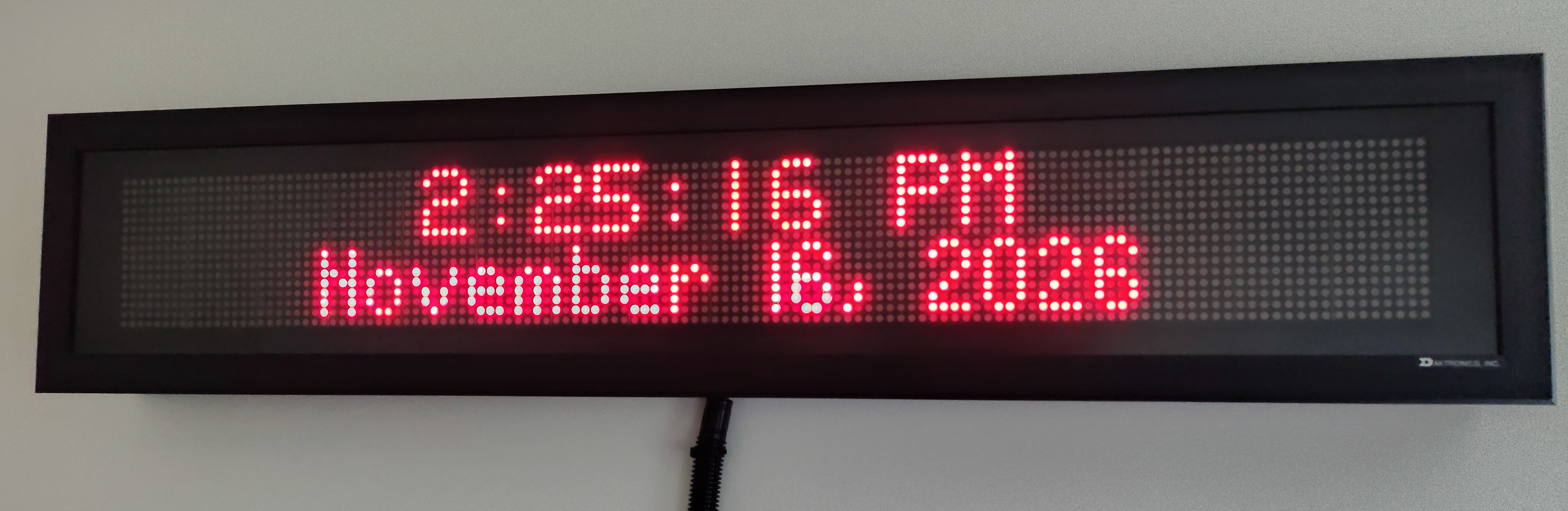
A little over 20 years ago, the factory where I worked had a DAKtronics LED sign over the employee entrance. It showed announcements, factory performance data, and the time and date. When the factory was closing, the secretary who maintained it suggested I might want to take it home since it was going to be thrown away. (I was well known as a scrounger of nerdy electronics). The contents of the sign had actually not been updated for almost a year, since the laptop that held the control software had died and nobody knew how to get the software replaced. My boss allowed me to take the sign home rather than letting it go into the dumpster.
I had always intended to somehow get my Linux computers to directly drive the sign, but without any specs available for the communication protocol, and no software, the sign sat unused in my basement. A few years later, I happened to meet a guy who had once been a DAKtronics service engineer. I'm not sure how we came to discuss the sign, but he was able to get me an old CD with obsolete Venus 1500 software for my obsolete sign. Holding my nose [because yeech, Windows], I setup a Windows computer and hooked up the sign in my basement workshop. It worked, but only using the proprietary Windows software. I wanted to reverse engineer the protocol so I could ditch Windows and have my Linux computers automatically set the time and date, but life intervened and I never got to it.
Venus 1500 CD ROM
Stuck with Venus 1500 on Windows
DAKtronics' Venus 1500 software is a little awkward, but very versatile. It allows you set the sign's clock and calendar and program a multitude of text effects such as color, scrolling, and delays. It also includes a scheduler so you can have the sign run different messages at different times of the day. The sign can even display simple graphics on it's 16x128 matrix. The problem was that it was all controlled by a Windows application without a command line interface, so no automation of the display was possible. I wanted to send other misc data to the sign and automatically reset it's internal clock, which I suspected would drift significantly without being periodically reset. (I'm a little anal-retentive about clocks; they must show the seconds, and they must be accurate to within a second of actual time.)
How could I get Linux to control the sign?
How could I get Linux to reset the time and date?
Because I didn't have answers to these questions, I let the sign sit for years until after I had retired.
Reverse-Engineered Protocol
I faced 2 problems getting the sign to work with Linux:
Luckily I had the special serial cable with an RJ-45 connector on one end and a DB-9 connector on the other that had worked when it was in the factory. I assumed I could use one of those cheap USB-to-Serial converters, one of which I already owned. More importantly, even though the protocol was undocumented, I figured I could just listen in on the serial connection while the Windows application sent data to the sign and copy those commands. As you might have expected, although simple in concept, this reverse engineering became horribly difficult in practice.
But before I could reverse engineer the protocol, I had to get the sign working again. It had sat in storage in my basement for years. Getting it going proved unexpectedly difficult. Wanting to use the most current version of the software, I downloaded an updated version of the Venus 1500 software from DAKtronics' public FTP site. (It turns out their software is a free download... the secretary that gave me the sign could have loaded the software on her computer at any time!) Unknown to me however, the updated version of the software would not work with my sign. My sign was made in 2004 and DAK had upgraded the microcontroller on this model in later years. They had also updated the Venus 1500 software to work with the new controller. Unfortunately, the new software was NOT backwards compatible, and would just fail to work on my sign. At this point, this unknown (to me) incompatibility meant that I couldn't even get the bloody thing to work, let alone figure out the serial protocol. I just gave up in frustration.
About 2 years later, I got the itch to try it again. I knew it had worked previously, so I went back to basics and started from scratch. I loaded the software off the CD, NOT using the updated version from the internet. I also installed Windows XP on an old PC I had in a closet. This meant I had hardware and software from the same circa 2004 time period as the sign. And it worked! Flawlessly!
But now I had to figure out the protocol. I installed Portmon to record all the serial traffic to/from the sign. Portman is a Windows application that is similar to wireshark, except that it monitors RS-232 data instead of network traffic. I then used the Venus 1500 software to reset the sign, set the time and data, and send text with various effects, all while recording the RS-232 data in a text file. But how to dissect that RS-232 trace file and understand the protocol? Suddenly, my simple idea got a lot more complicated. The protocol was more complex than I had thought. There was lots of bi-directional traffic on the RS-232 line. This seemed like a lot of work to decipher.
Claude AI to the Rescue
Luckily, I've been using Claude AI to do a lot of programming for me, so I simply asked Claude to figure it out. And Claude came through magnificently! I systematically worked through every Venus 1500 command and recorded the RS-232 traffic while it executed those commands. I then uploaded this RS-232 trace file to Claude. In the end, Claude generated a comprehensive document about the protocol and all the commands that the sign can respond to. [BTW, I would love to include that document here, but I suspect the powers-that-be at DAKtronics might not take kindly to someone who publishes their proprietary technical secrets. -sigh-] Claude also generated a python program that can send these commands to the sign. I now use this program to control the sign without resorting to Venus 1500 or Windows!
The truly amazing thing is that this whole process only took a few hours. What I had struggled with and dreamed of doing for 20 years became a reality in one afternoon thanks to the AI. It had actually taken me longer to get a Windows XP system running on an old computer than it did to get the sign protocol figured out.
Groovy Clock
I'm now using the sign as a fancy digital clock. I use an old, slow and creaky Raspberry Pi Model B running headless to control the sign. The Raspberry Pi doesn't have a serial port, of course, but my cheap USB-to-Serial converter did work perfectly as I had hoped. I use cron jobs to turn on the sign in the morning, set the time & date, and set the messages. I also reset the internal clock with the correct time every hour, just to satisfy my OCD that the time is correct to the second. Then, around 10:00 PM, I shut the sign off for the night. One note: I had to use fixed-width (non-proportional) font for the time, or it looked funny because the digits would jump around a little as the seconds changed.
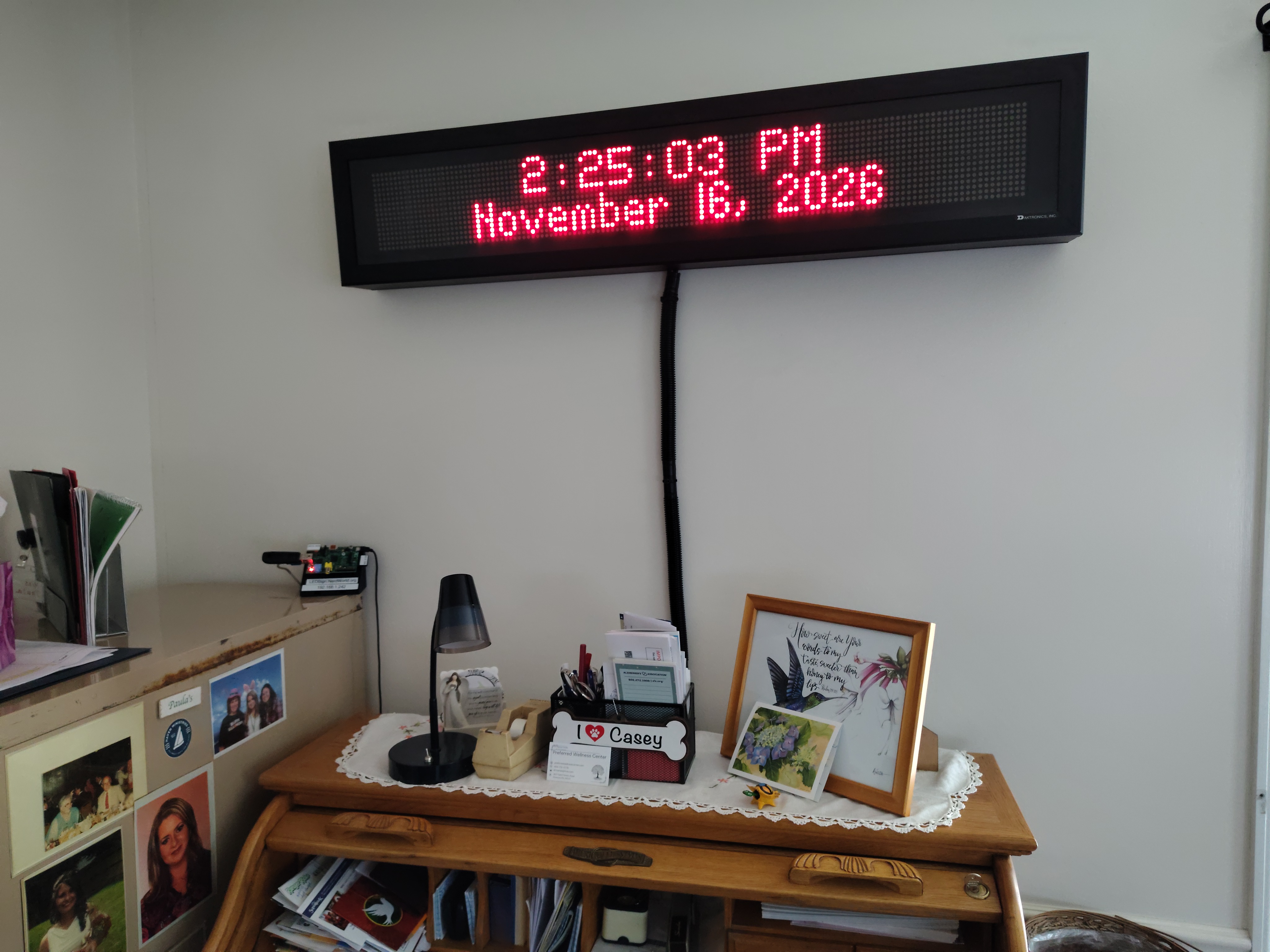
The Sign in Use
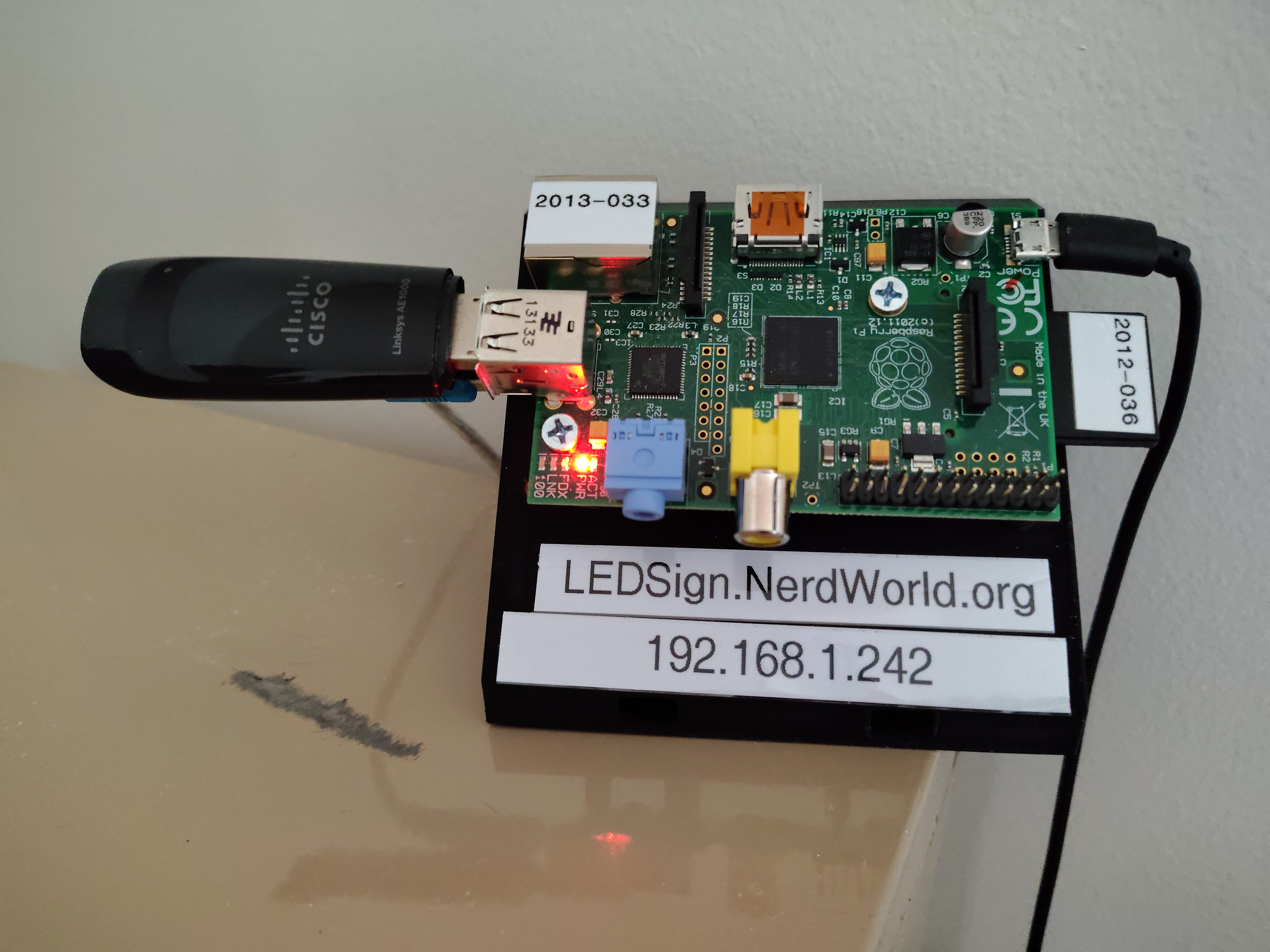
Raspberry Pi Controls the Sign with crontab jobs
Video demo of the sign in use
Program File: